Think in maps
Keep it plain JSON
XMind-style mind maps inside VS Code and Obsidian. Every map is one JSON file that you, git and your AI agent can all read and edit.
Free and open source · MIT · No account, no cloud
Works where you already think
Now in your
AI workflow
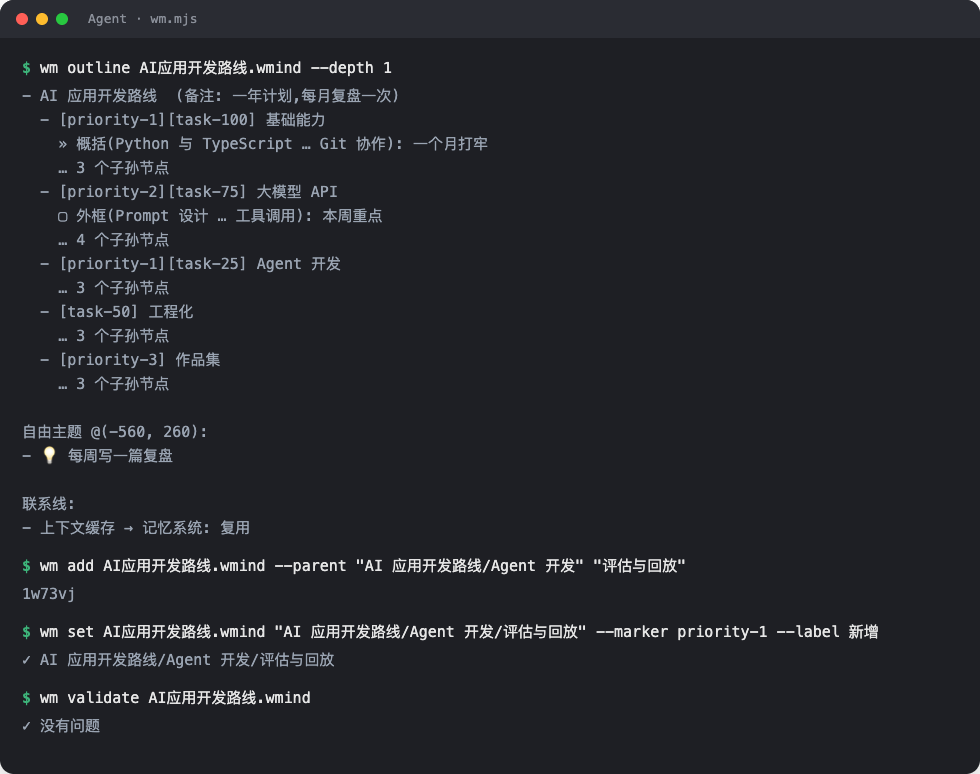
Your agent reads the map as an outline, adds branches by path and validates every edit. The canvas redraws the moment the file changes.
- Ready-made skill for Claude Code and friends
- Zero-dependency CLI: wm.mjs
- Byte-identical output to the plugin
Tools that think with you
The editing feel of XMind, the openness of a text file.
Edit like XMind
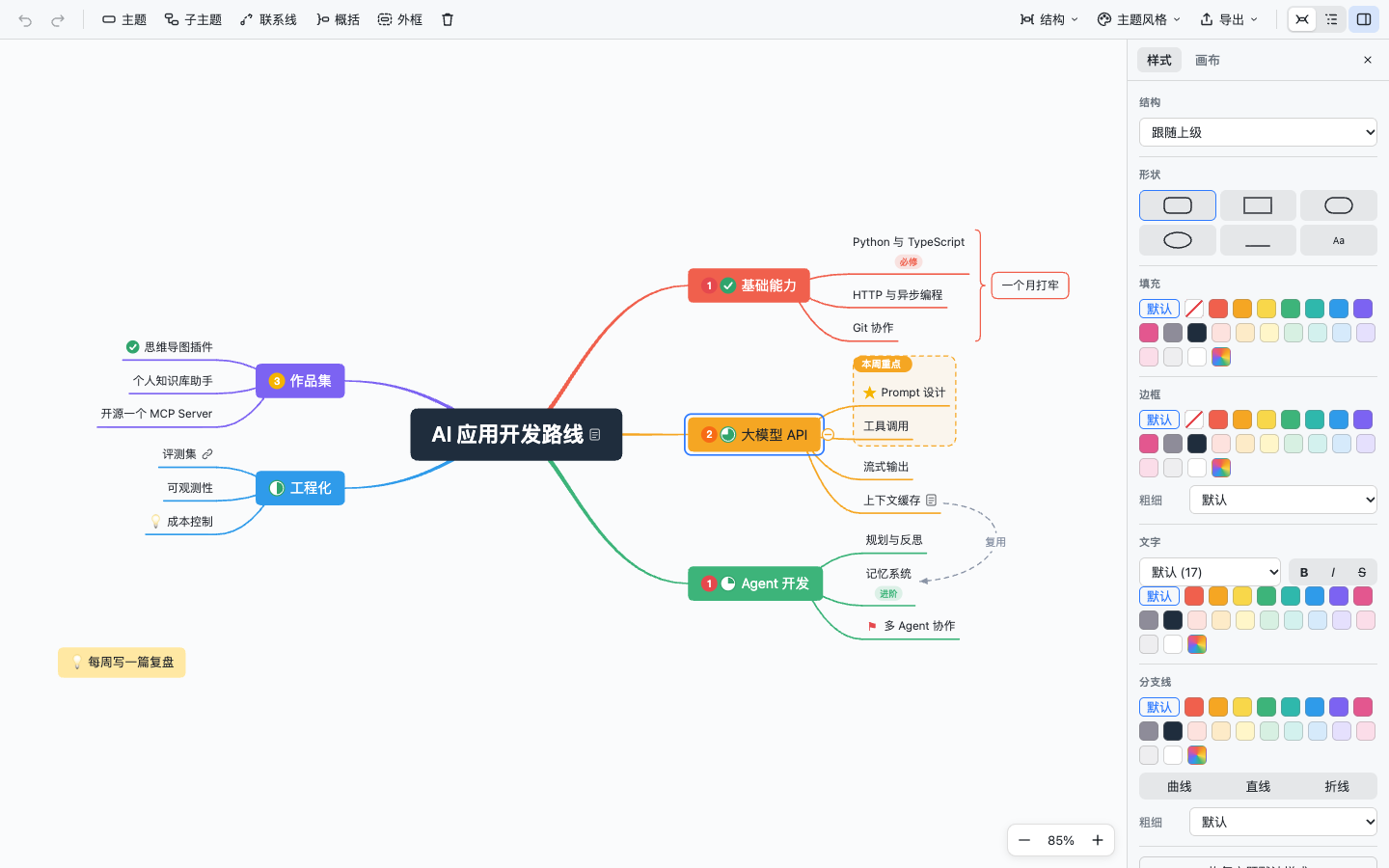
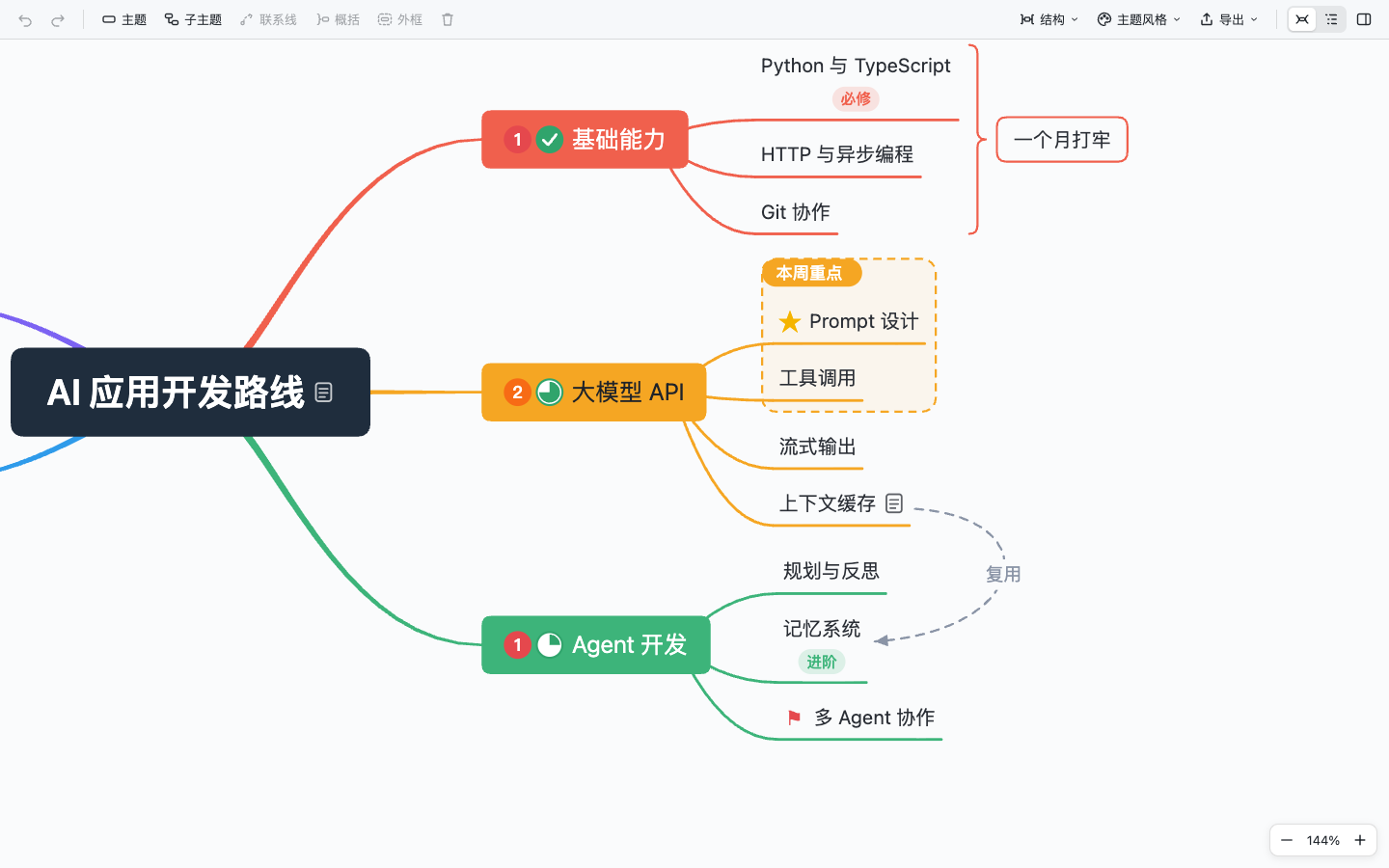
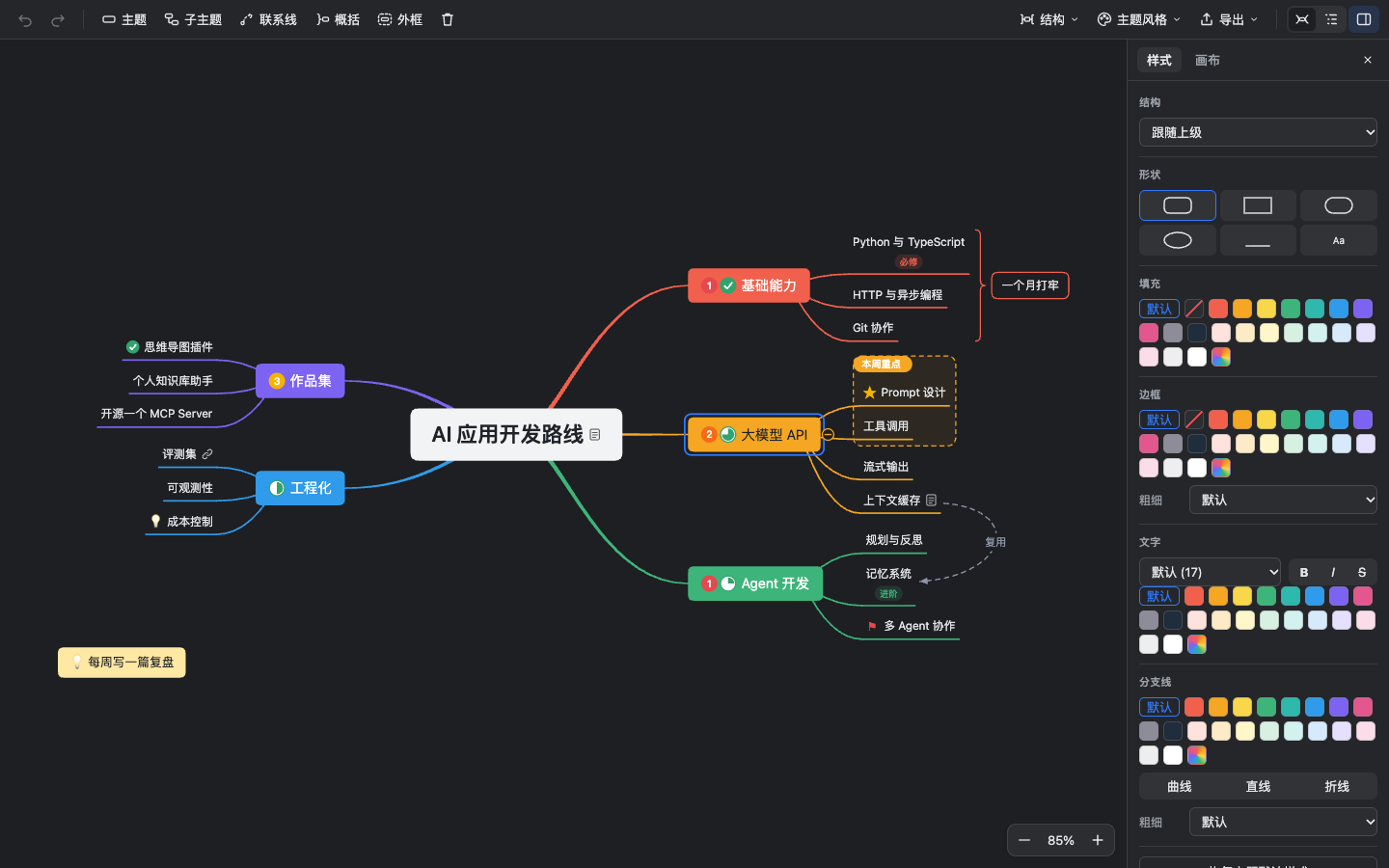
Enter for a sibling, Tab for a child, drag to re-parent. Markers, labels, notes, links, relationships, summaries and boundaries are all here.
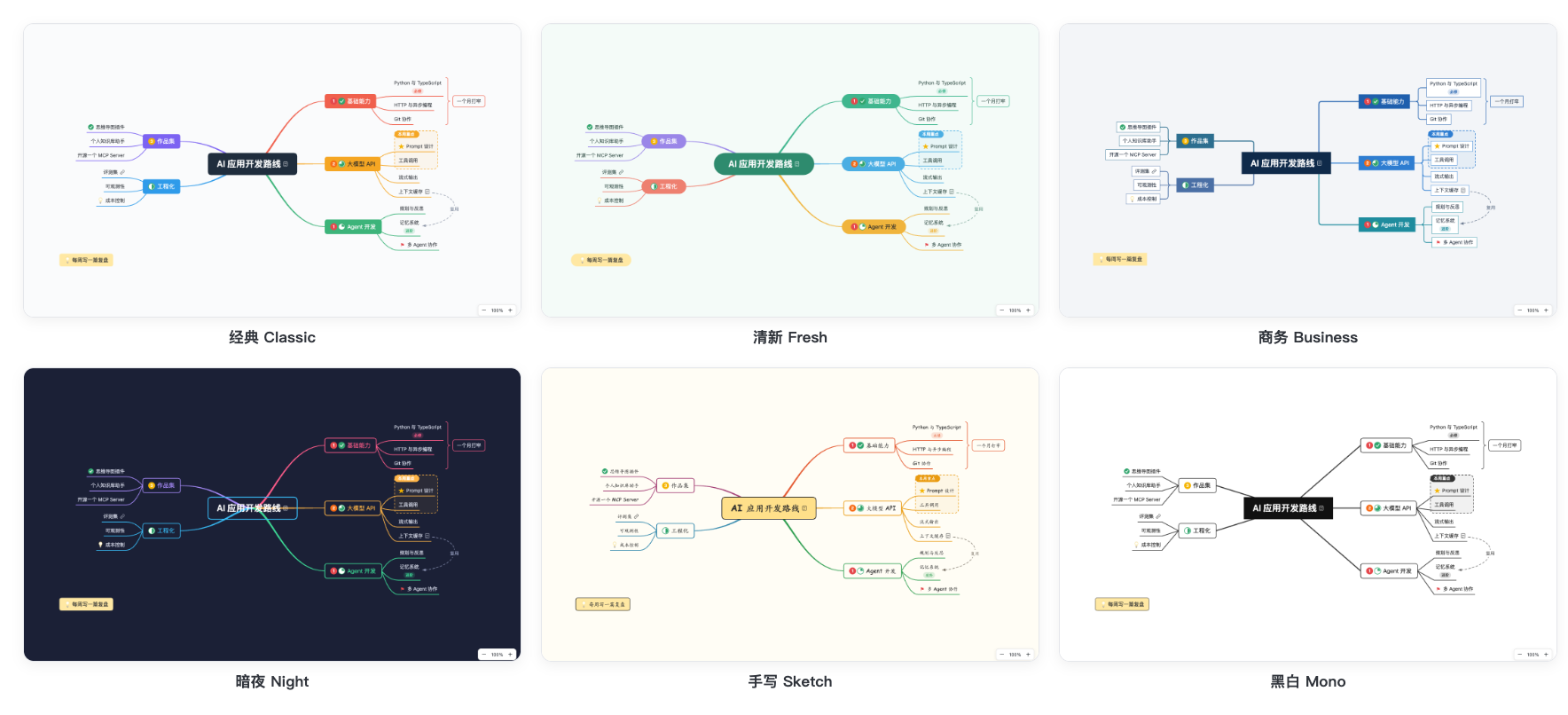
Six themes, light and dark
Classic, Fresh, Business, Night, Sketch and Mono. Each has a light and a dark version that follows your editor.
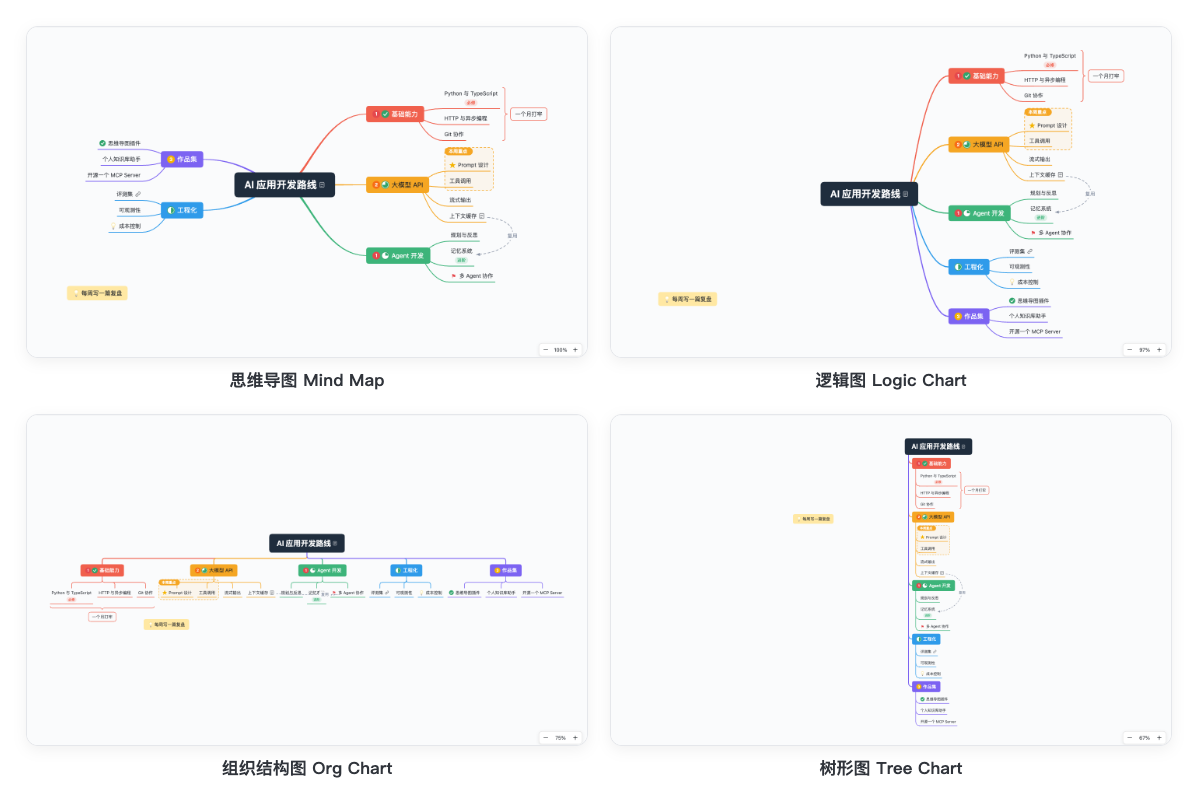
Four structures
Mind map, logic chart, org chart and tree chart, for the whole map or a single branch.
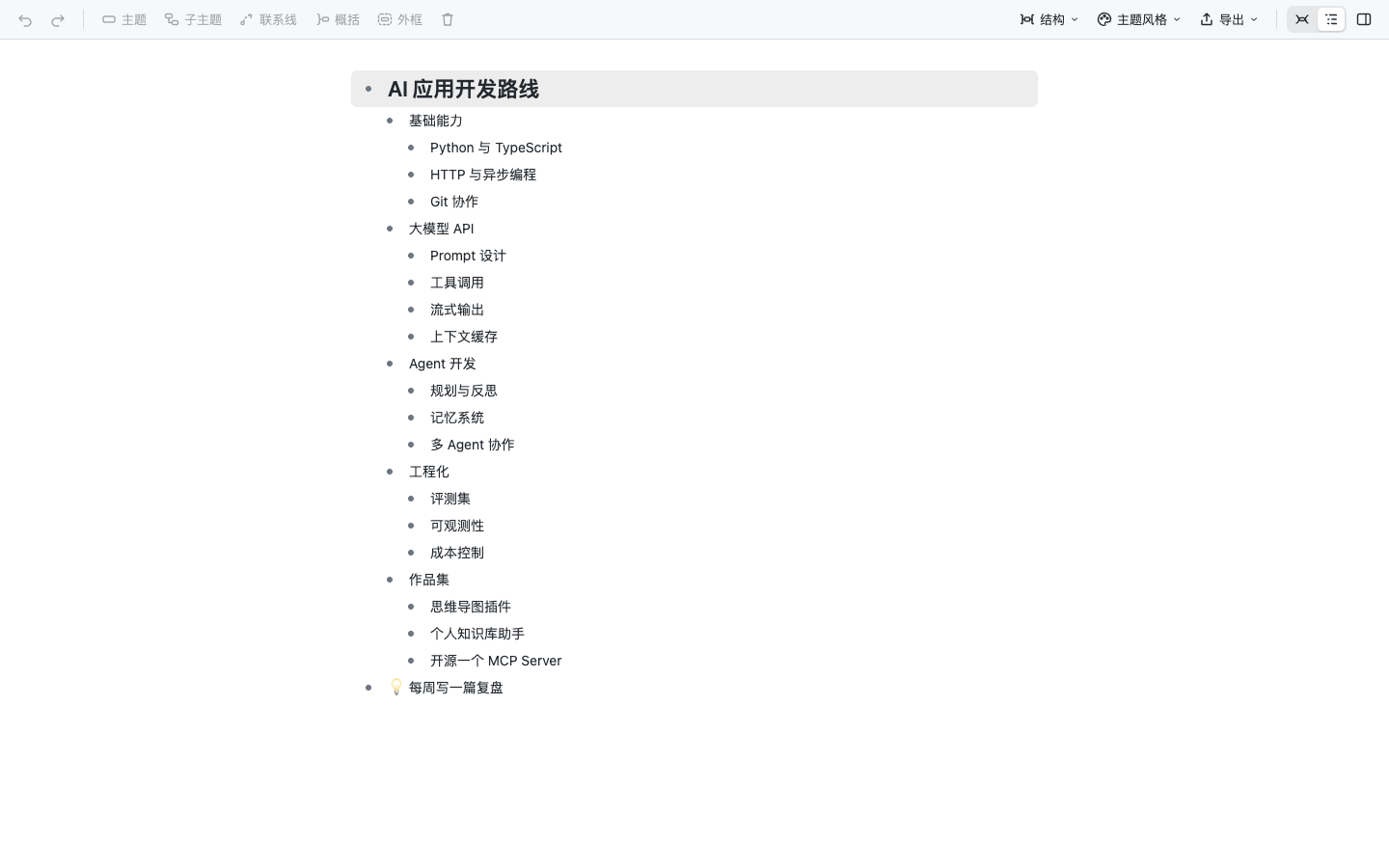
Outline view
Write the whole map as an indented list. Same shortcuts, same file.
And so much more
- Export PNG (2x), SVG and Markdown
- Turn a Markdown outline into a map
- Follows VS Code and Obsidian dark mode
- [[note]] links in Obsidian
- Paste Markdown or indented text as topics
- Pan, pinch and zoom, even on touch
For the way you think
From a quick brainstorm to a plan your agent keeps up to date.
Get every idea down, fast
Type, press Enter, keep going. Rainbow branches keep twenty ideas readable, and summaries pull them together.
Plans with priorities and progress
Priority and task markers, boundaries for this sprint, and an org chart when you need the big picture.
Notes that become maps
Right-click a Markdown outline to turn it into a map, then switch to the outline view to keep writing.
Let your agent keep it current
"Add the three test tasks under QA and mark the first one urgent." The agent edits the file, and the canvas redraws while you watch.
Your map, your file
No database, no account, no lock-in. Just JSON on your disk.
{
  "version": 1,
  "theme": "fresh",
  "root": {
    "id": "a1b2c3", "text": "Product plan",
    "children": [
      { "text": "Research", "markers": ["priority-1"] },
      { "text": "MVP", "style": { "fill": "#FFE8A3" } }
    ]
  }
}
Clean git diffs
Fixed key order and indentation. Only non-default values are written.
Local first
Your files never leave your machine. Sync them however you like.
JSON Schema included
Completion and validation when you open the raw JSON.
MIT, ad-free, no tracking
Read every line of the source on GitHub.
Up and running in a minute
Pick where you think. Or hand the job to your agent.
Installs into every VS Code based editor it finds (VS Code, Cursor, Windsurf, Insiders):
curl -fsSL https://raw.githubusercontent.com/Azure12355/weilanx-mind-map/main/scripts/install.sh | bash
Or download weilanx-mind-map.vsix and choose Install from VSIX… in the Extensions view.
Pass your vault path. The plugin is copied in and enabled:
curl -fsSL https://raw.githubusercontent.com/Azure12355/weilanx-mind-map/main/scripts/install.sh | bash -s -- --obsidian "/path/to/vault"
Or put main.js, manifest.json and styles.css from the latest release into .obsidian/plugins/weilanx-mind-map/, or use BRAT with Azure12355/weilanx-mind-map.
Installs SKILL.md and wm.mjs into ~/.claude/skills (Node 18+):
curl -fsSL https://raw.githubusercontent.com/Azure12355/weilanx-mind-map/main/scripts/install.sh | bash -s -- --skill
For another agent, append its skills folder after --skill.
Paste this into Claude Code, Codex, Cursor or any agent with a terminal:
Install the Weilanx Mind Map plugin and its agent skill for me.
Follow https://github.com/Azure12355/weilanx-mind-map/blob/main/docs/install-for-agents.md,
verify the install, then tell me the result.

Visualize your ideas. Keep them yours.
Free, open source and ready in VS Code and Obsidian today.